


Key takeaways
- Start with one workflow and a narrowly scoped tool.
- Enforce access in the server and underlying business system.
- Rehearse timeouts and retries before enabling writes.
MCP integration connects an AI application to tools and information through the Model Context Protocol. For a business, the useful question is which task the connection should support and what the assistant may do. A connector that retrieves an order status needs a smaller permission boundary than one that changes an address or issues a refund. Begin by separating those capabilities.
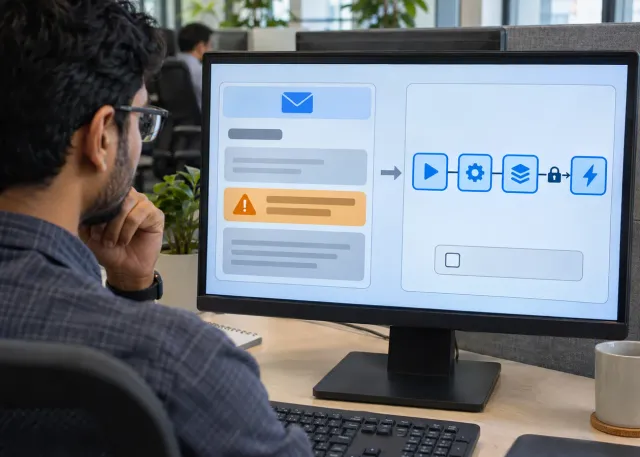
Consider a hypothetical support team that copies order identifiers between a help desk and an order system. A first connector could return a small status summary to an authorized support user. It would not edit the order, contact the customer or expose the entire customer history. That narrow outcome gives operations and engineering something concrete to approve.
Define the MCP integration boundary
Using the Model Context Protocol for business does not remove the need for API design. Write down the caller, source system, fields returned and allowed action. A tool should explain what it does and accept structured inputs. Avoid a broad tool that accepts arbitrary commands when the workflow only needs a single record lookup.
Keep the system of record responsible for business rules. If the support application prevents one team from viewing another region’s orders, the connector must preserve that restriction. Passing information through an AI interface is not a reason to broaden access. Include the requesting user’s identity in the authorization design rather than using a shared administrator account for convenience.
Make permissions part of the connector contract
AI tool permissions need enforcement outside the model. Define who can invoke each operation, which records they can access and whether the operation reads or changes state. A natural-language instruction to avoid sensitive records cannot replace a server-side access check. Keep credentials out of model-visible content and routine logs.
The official MCP security guidance describes risks including token passthrough and confused-deputy behavior. Review those boundaries when designing authentication. As a project requirement, ask the implementation team to demonstrate that an unauthorized caller is rejected even when the tool arguments otherwise look valid.
Choose a connector that fits the workflow
| Approach | Useful when | Check before choosing |
|---|---|---|
| Existing maintained connector | It exposes the required narrow operation | Permissions, operator, maintenance and returned fields |
| Custom MCP server | Several AI clients need a shared business capability | Ownership, authentication and versioned tool contracts |
| Direct application API | One application needs a fixed integration | Whether MCP adds enough reuse to justify another layer |
A protocol is not automatically the best answer for every connection. A fixed form that submits one approved change may be simpler with a direct API. Use an integration discovery discussion to compare operational ownership and failure handling as well as implementation effort.
Rehearse failures before enabling writes
MCP server security and reliability meet at failure boundaries. Suppose a connector submits an address update but the response times out. Repeating the action without checking its outcome can produce confusing history or duplicate downstream work. Agree how the system identifies the request and confirms whether the change already happened.
- Test expired credentials, forbidden records and missing identifiers.
- Return only needed fields and make missing data explicit.
- Define a timeout, retry limit and escalation route for each tool.
- For writes, use a stable request identifier or another duplicate-prevention mechanism supported by the application.
- Record the actor, operation and outcome without copying unnecessary personal information.
Do not treat a readable tool response as proof of success. Verify the resulting business state. For the order lookup, success means the authorized user received the correct current status. For an update, it means the intended record changed once and the audit trail identifies the request.
Roll out one capability at a time
Begin with a controlled read-only pilot. Have staff compare answers with the source system and report ambiguous matches. Review access failures as well as useful answers: an agent that repeatedly asks for inaccessible information may need a narrower workflow or clearer tool description. Keep a named maintainer responsible for changes to the connector contract.
Add changes only after the team can explain permissions, failure recovery and rollback. A broader AI transformation plan can place this connector alongside process ownership and adoption work. Before commissioning the next capability, capture the tool contract, test evidence and maintainer. Bring those items to a project scoping conversation so the integration has a clear operational purpose.
Frequently asked questions
Does MCP replace the underlying business API?
Usually it exposes a controlled capability backed by an API or another application interface. The source system still needs to enforce its business rules and access restrictions.
Should the first connector be read-only?
A read-only pilot is often easier to verify and contain. It still needs access checks because retrieving sensitive information can be consequential.